FADE IN:
INT. YOUR IDEA – DAY
Every film starts untitled_
untitled.movie is where you develop a film from the first idea to the animatic — story bible, screenplay and storyboard in one place, together with your team and the AI assistant you already use. It proposes; you decide.
From idea to animatic
One place for everything a film goes through before the camera rolls.
-
01
Develop
A story bible for your idea: canon, open questions, proposals, references and a look bible. Decisions are dated and explained; your AI co-author proposes — you decide what becomes canon.
Available now
-
02
Write
Screenplays and treatments in industry format, written together in real time, with drafts, snapshots and comments. Strands, trailers and translations stay organised in tracks.
Available now
-
03
Board
Storyboards linked to your script: shots and panels with versions, drawn with a pen in the Studio app, played as an animatic and exported for the team.
Available now
-
04
Hear
Table reads with a voice for every character, and language versions that stay in sync with your master script.
Coming soon
CONTINUOUS:
See it at work
The script feeds the boards, the bible keeps your decisions, and every version is on record. A look at the tools, on a film in development.
-
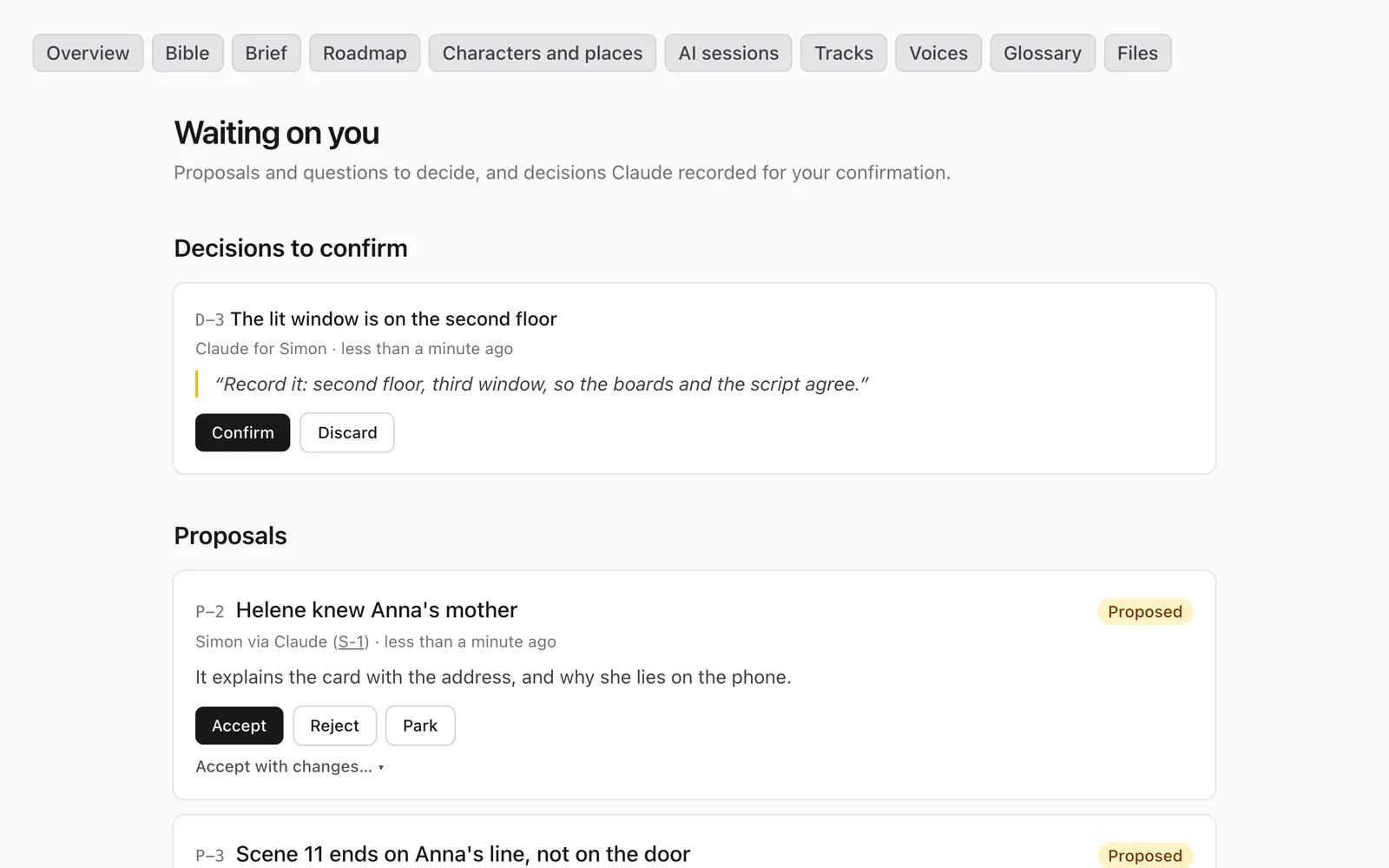
Canon, questions, proposals, references, principles and findings, each with a label you can cite. A decision records why, what it settles and what needs updating — and nothing your AI suggests becomes canon until you confirm it.
-
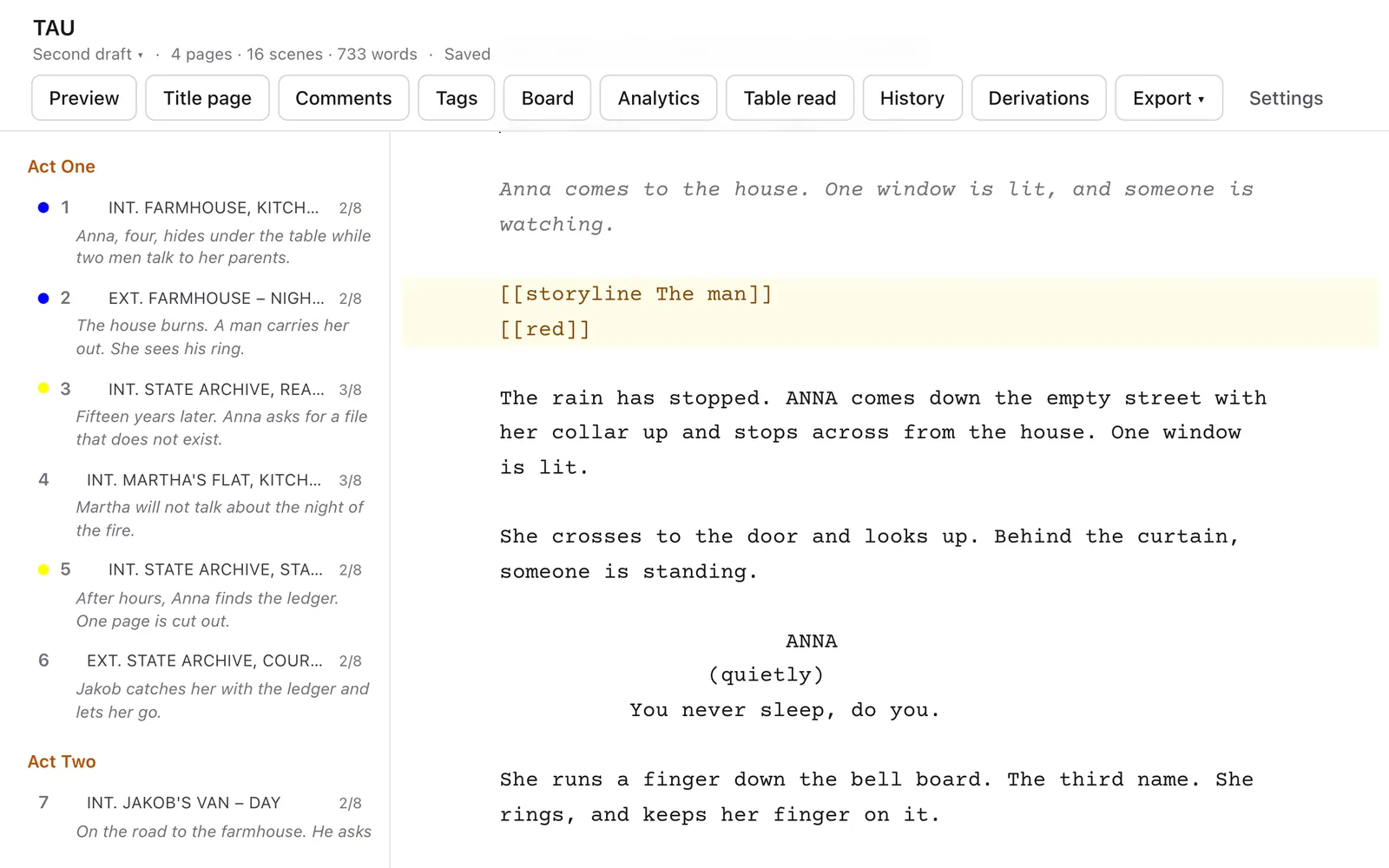
Industry formatting as you type, scene numbers, page count and a paginated preview. Write together in real time, see who is where, and comment on any passage.
-
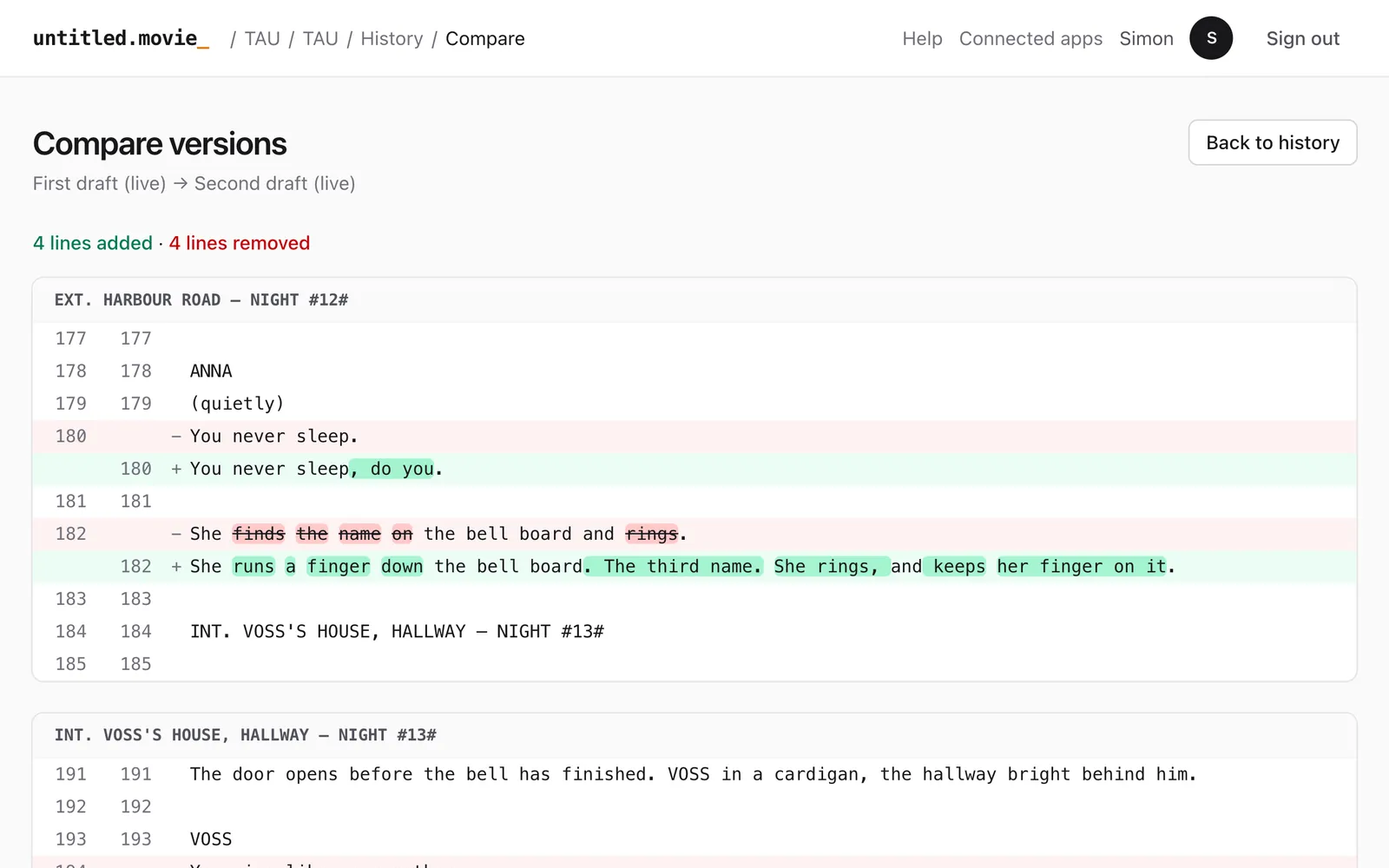
Freeze a draft and start the next, take snapshots, compare any two versions word by word and restore what you need.
-
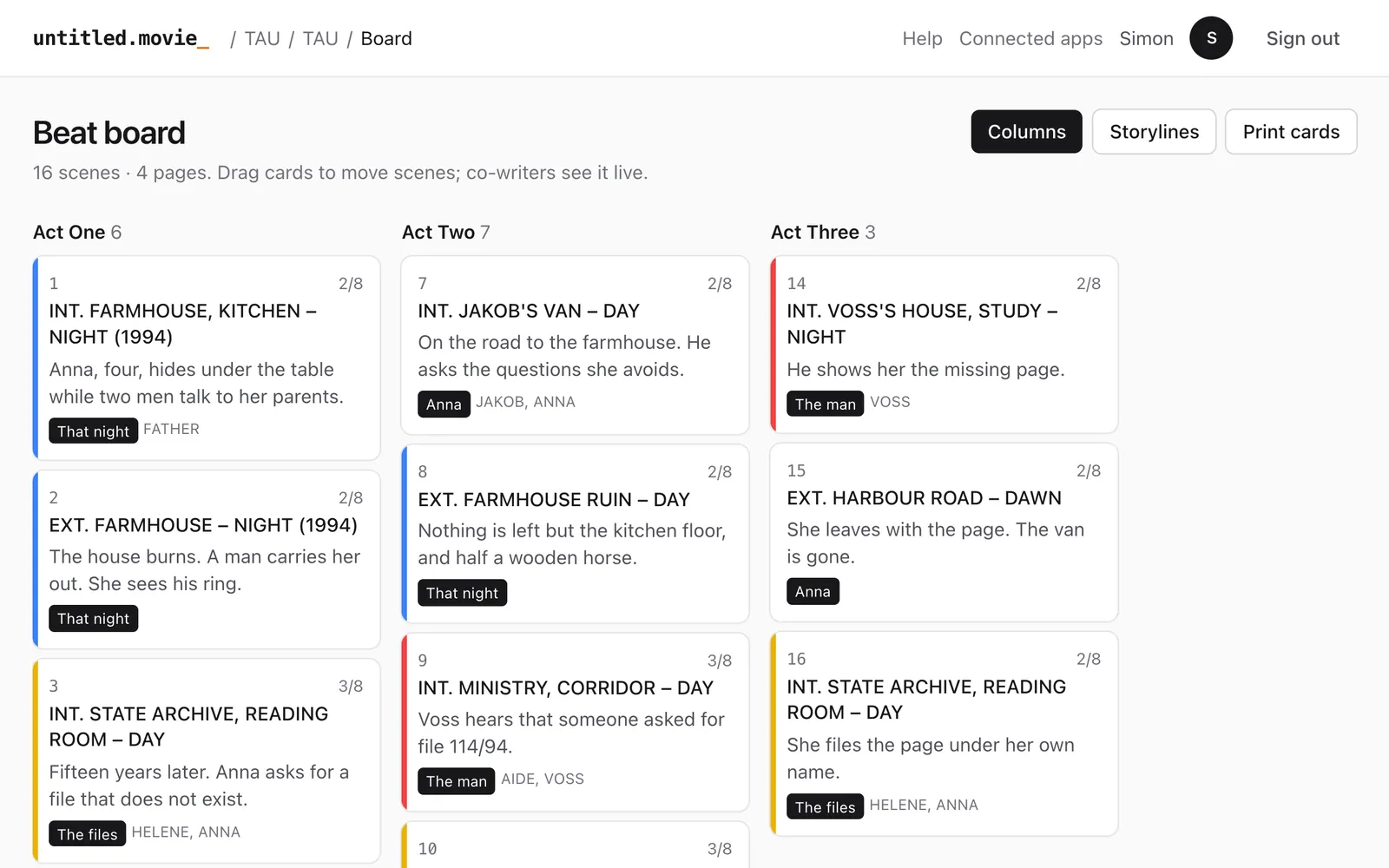
Your scenes as cards by act and storyline. Drag them to restructure, and keep alternative orders side by side until you choose.
-
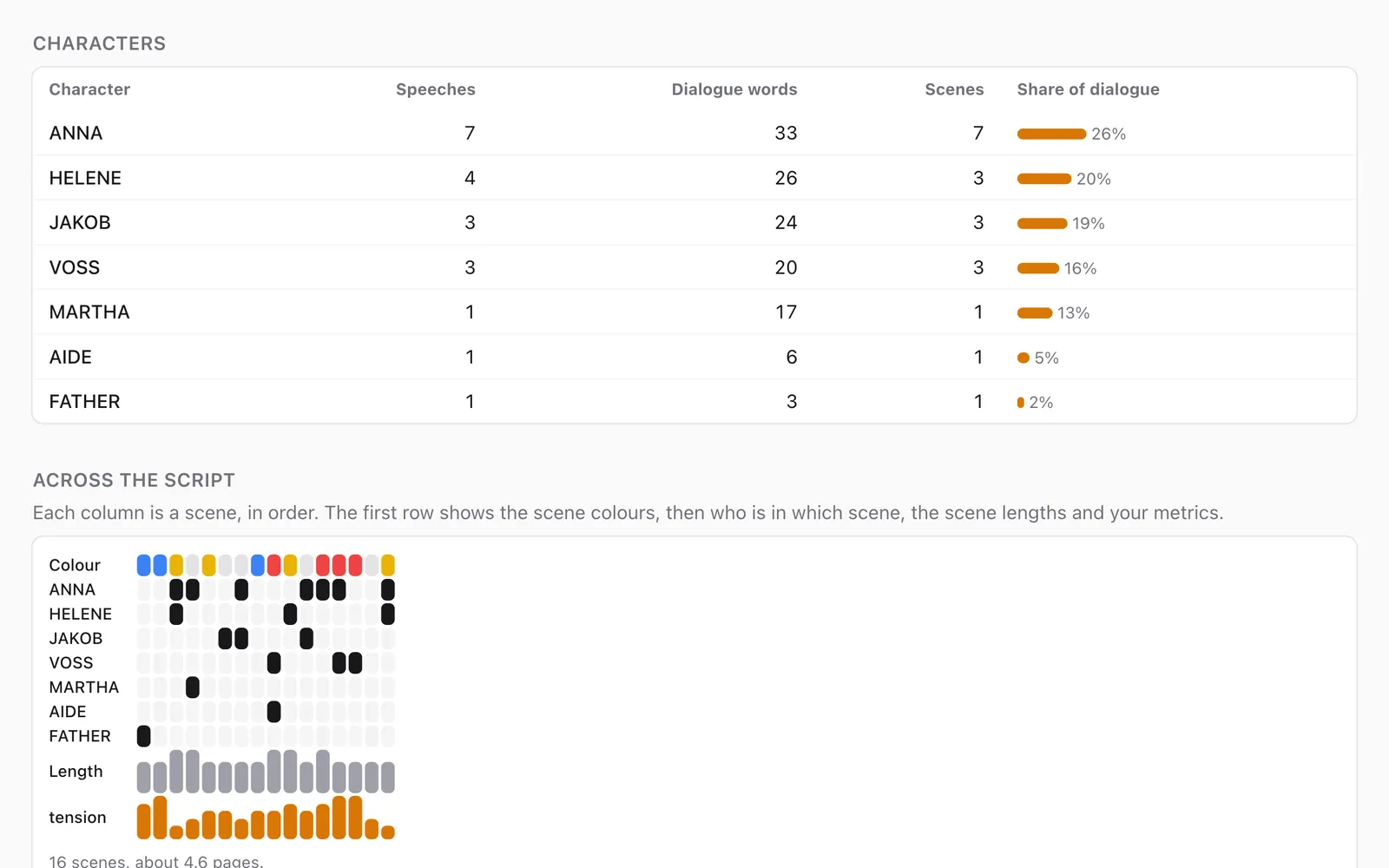
Tag cast, props, locations and more right in the text. Get breakdown sheets, a cast table, scene lengths and the rhythm of your script.
-
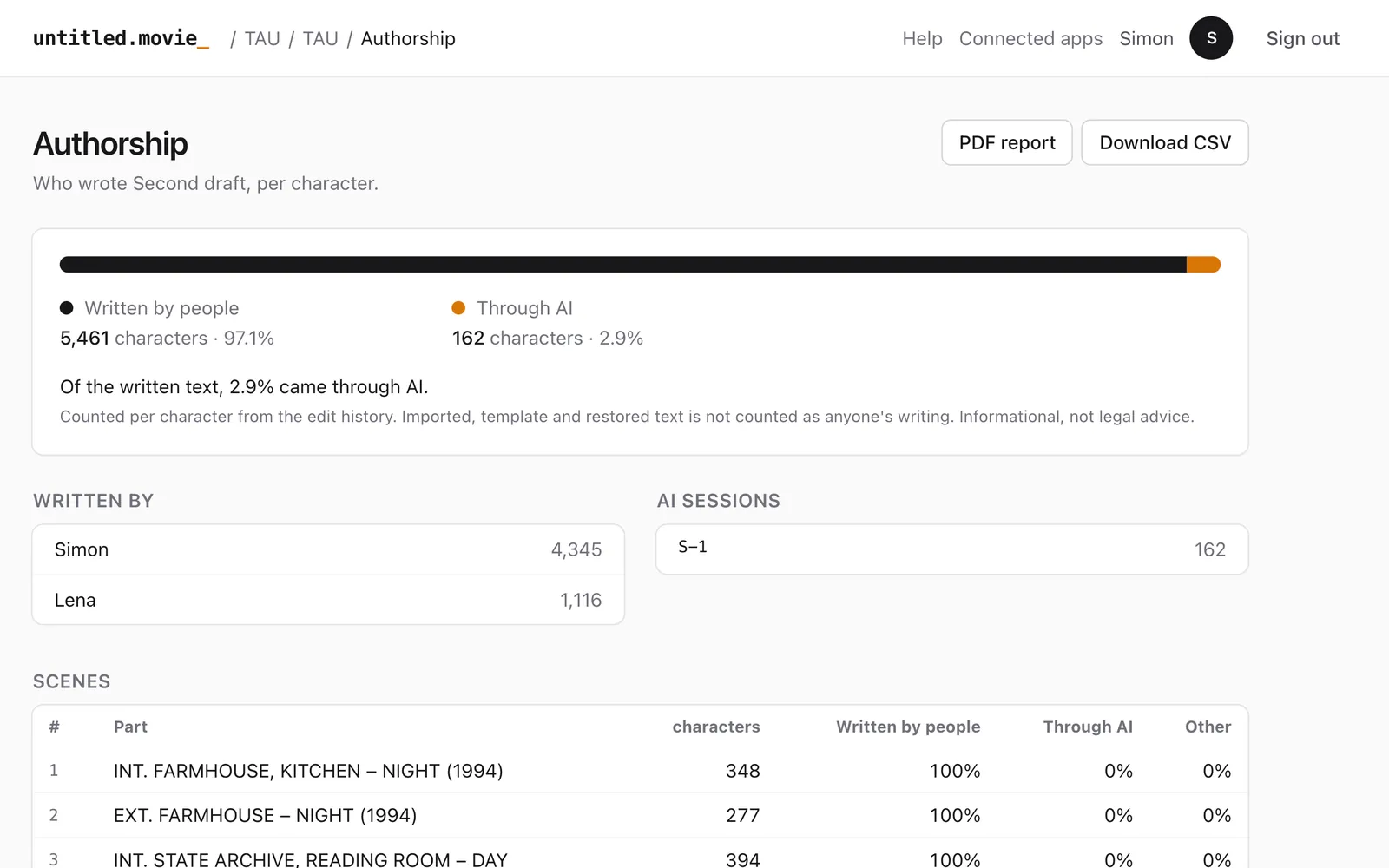
Every passage knows who wrote it — you, a co-writer or AI — for funders and competitions that ask.
-
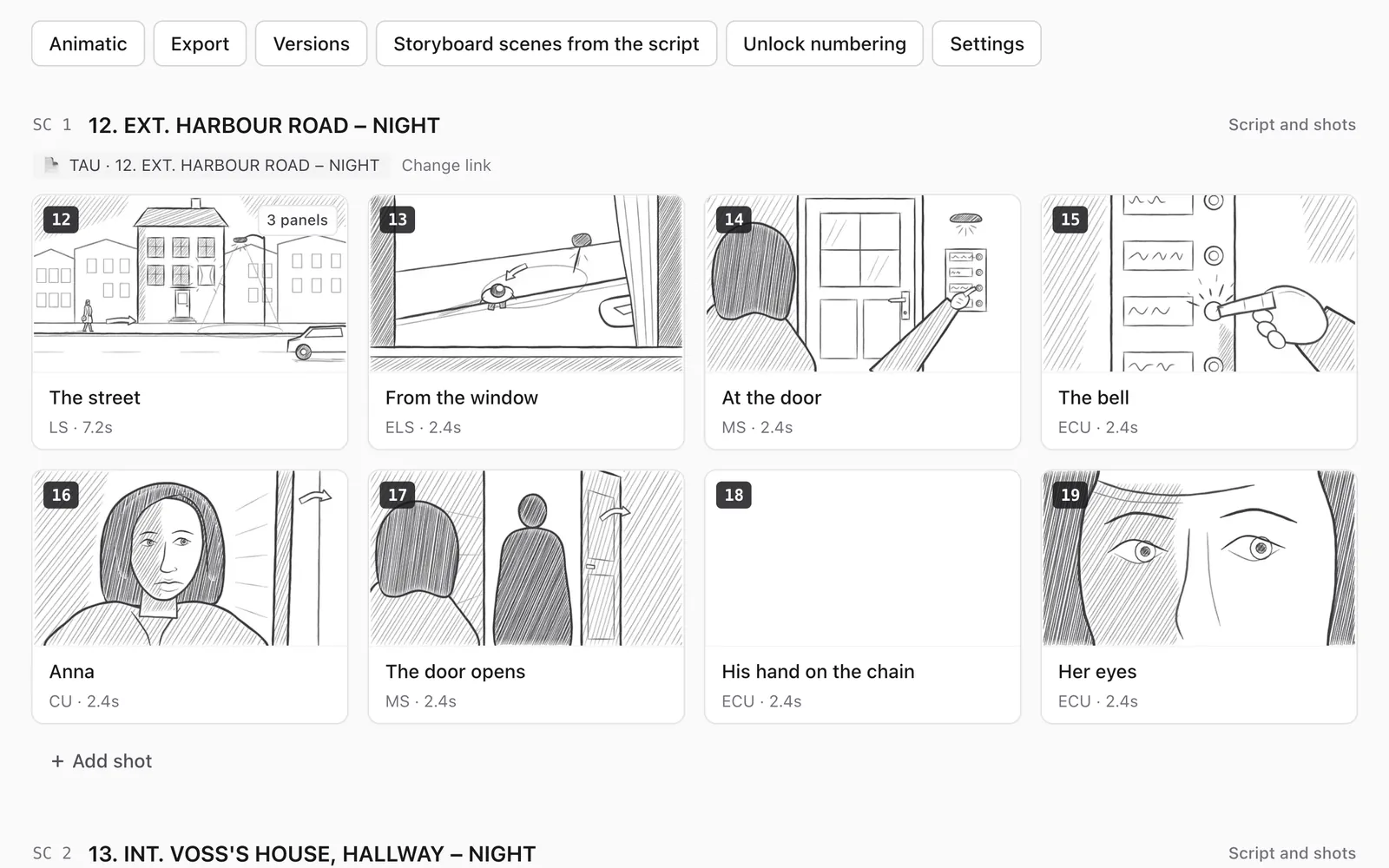
Turn scenes into shots in one step. Every board scene stays linked to its script scene and tells you when the script has changed.
-
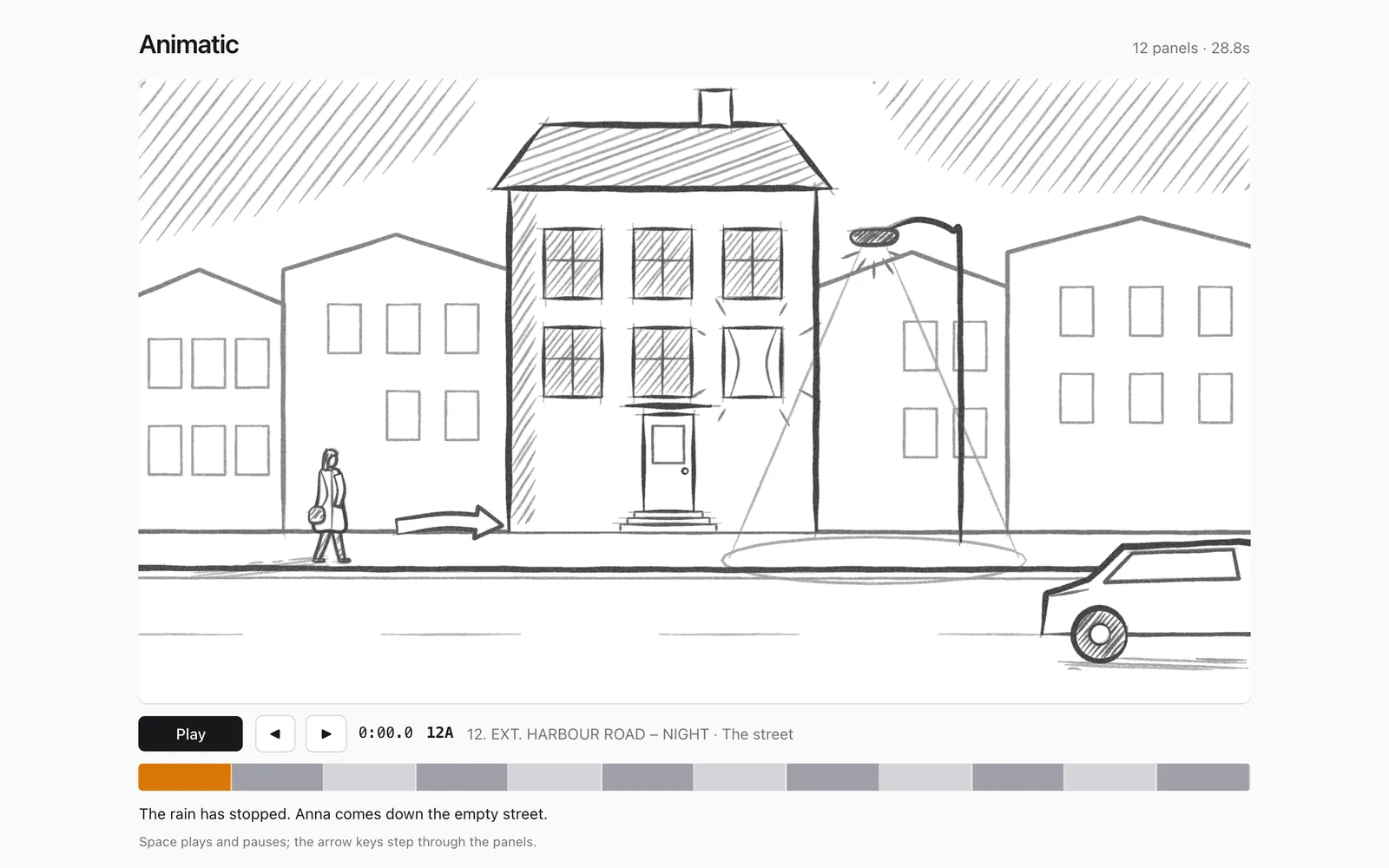
Play a board or a single scene with every panel's timing. Export it as an MP4, a PDF or an edit for Premiere Pro and DaVinci Resolve.
-
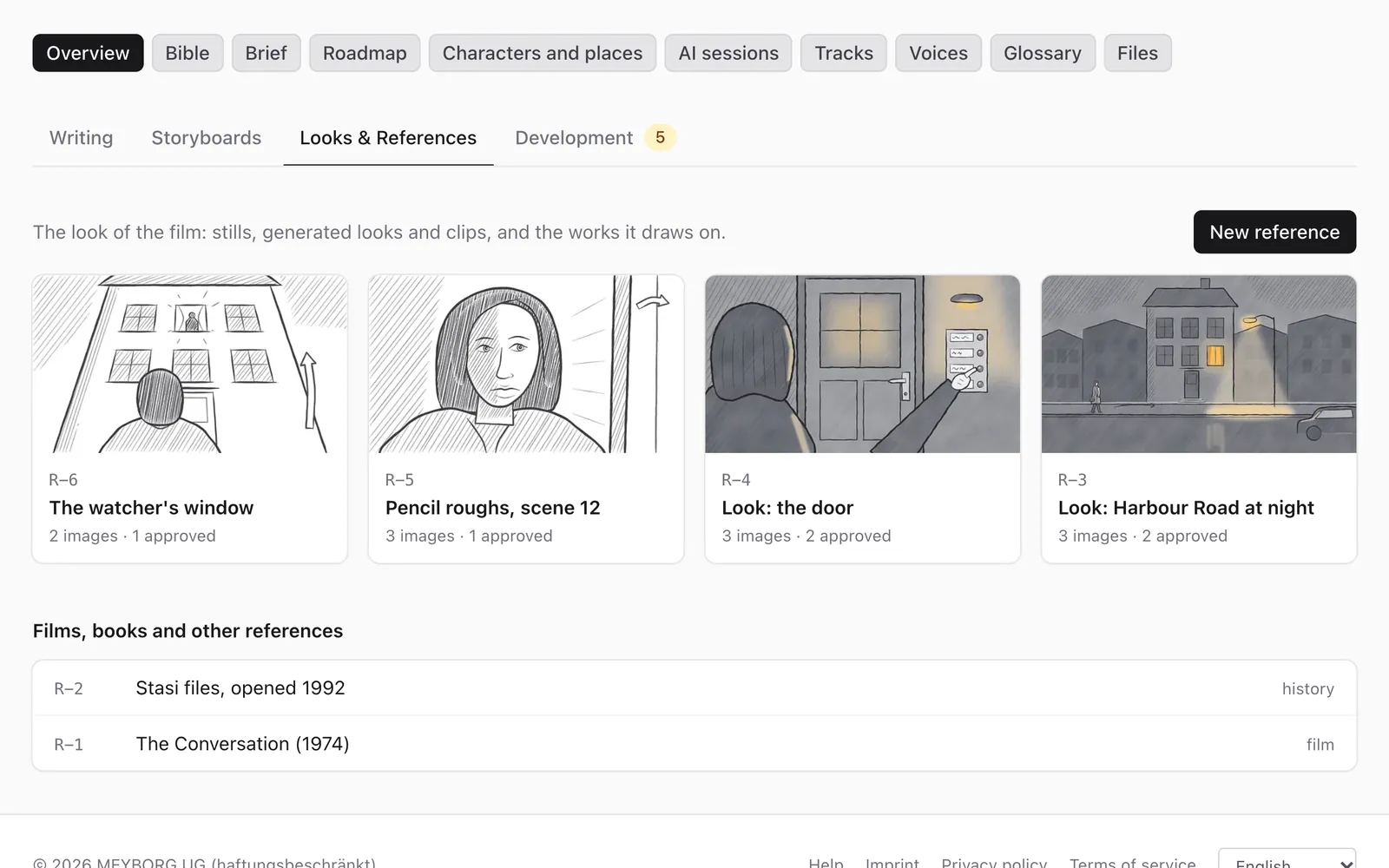
Stills, looks and generated variants with their prompts, models and your verdicts — and one tap to put an image into a storyboard panel.
Bring it all in, take it all out
Import Fountain, .fdx, Word and Markdown, or a whole folder with its versions. Export scripts as PDF, Fountain, .fdx or Word, and boards as PDF, an MP4 animatic or .storyboarder.
ALSO INSIDE
-
A whole team, live
Managers, editors, reviewers and viewers for every project. Everyone sees changes as they happen, and a shot belongs to one person while they draw.
-
Tracks and language versions
Keep the feature, the trailer and the novel apart in one project. A translation follows its original and shows which scenes have fallen behind.
-
A roadmap for the film
Stations from the premise to the revised script, so everyone knows where the project stands.
-
Files and folders
Research, contracts, music and recordings stay with the project. Whole folders come in with their structure.
-
Nothing gets lost
Shots and documents keep their versions, and every change names who made it. A project you delete waits in the trash for 30 days.
-
In four languages
The whole interface in English, German, Spanish and French: everyone works in their own.
BUILT FOR MCP
Bring your own AI
untitled.movie is built from the ground up for the Model Context Protocol (MCP) — the open standard that lets AI assistants work with tools and data. Connect the assistant you already use, on your own machine or in the browser, and it works directly in your projects.
- Your assistant, your choice
- Claude Desktop, Claude Code, claude.ai or any other MCP client. No extra AI subscription from us, and your conversations stay in your own app.
- Everything you can do, your AI can do
- More than 60 actions in four toolsets — develop, write, board and the basics. Your assistant starts projects, reads and edits scripts scene by scene, keeps the bible, records decisions you dictate, builds shot lists, looks at your panels and stores looks. The decision queue and a storyboard viewer open right inside the conversation.
- You stay in charge
- You connect it with a secure sign-in, choose what it may access and can revoke it at any time. It works with your permissions, proposes instead of deciding, and every change it makes is labelled in the history.
Available now
You
Break scene 12 of the TAU script into a shot list on the Teaser board.
→ read_document TAU · scene 12
→ create_shots Teaser · 8 shots
Assistant
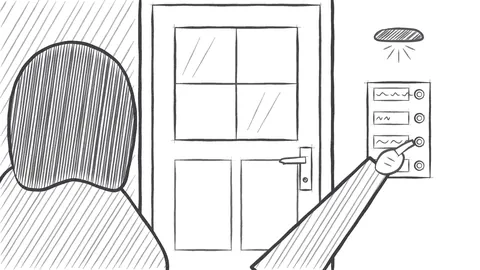
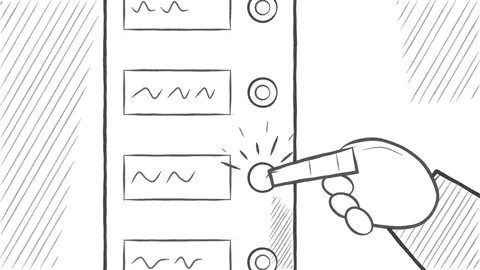
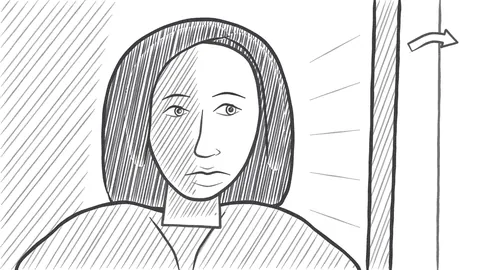
I’ve added 8 shots (12–19) with framing, action and dialogue from the scene. The night exterior opens on a wide shot; Anna’s close-up lands on her last line. Want me to suggest panels for the door sequence?
You
Show me shots 14 to 16.
→ view_storyboard Teaser · shots 14–16
History: “added 8 shots” · Simon via Claude
Connect in a minute
Add untitled.movie to your assistant with this address. It asks you to sign in and to choose what your assistant may do.
https://untitled.movie/mcp
-
claude.ai and Claude Desktop
Settings → Connectors → Add custom connector, paste the address, then Connect.
-
Claude Code
Run this in your terminal, then
/mcpto sign in:claude mcp add --transport http untitled https://untitled.movie/mcp -
Any other MCP client
Streamable HTTP with OAuth sign-in. Clients register themselves; you see and disconnect them under Connected apps.
Made for drawing with a pen
The Studio app turns your tablet into a storyboard desk: pressure-sensitive pencils, pens, brushes and tone, layers that sort themselves, palm rejection, and every shot versioned — nothing you draw is ever lost. And it brings the rest of the film along: the script, the writing room and the look bible.
- ✎ Apple Pencil, S Pen, Windows Ink and Wacom
- ⟲ Every save is a version you can compare and restore
- 👥 One editor per shot, everyone sees changes live
- 📄 The linked script scene right next to the canvas, and the full writing view on your tablet
- 🖼 Reference images from the look bible or your photos, placed into a panel with one tap
In testing now; coming to iPad and iPhone, Android, Windows and Mac.
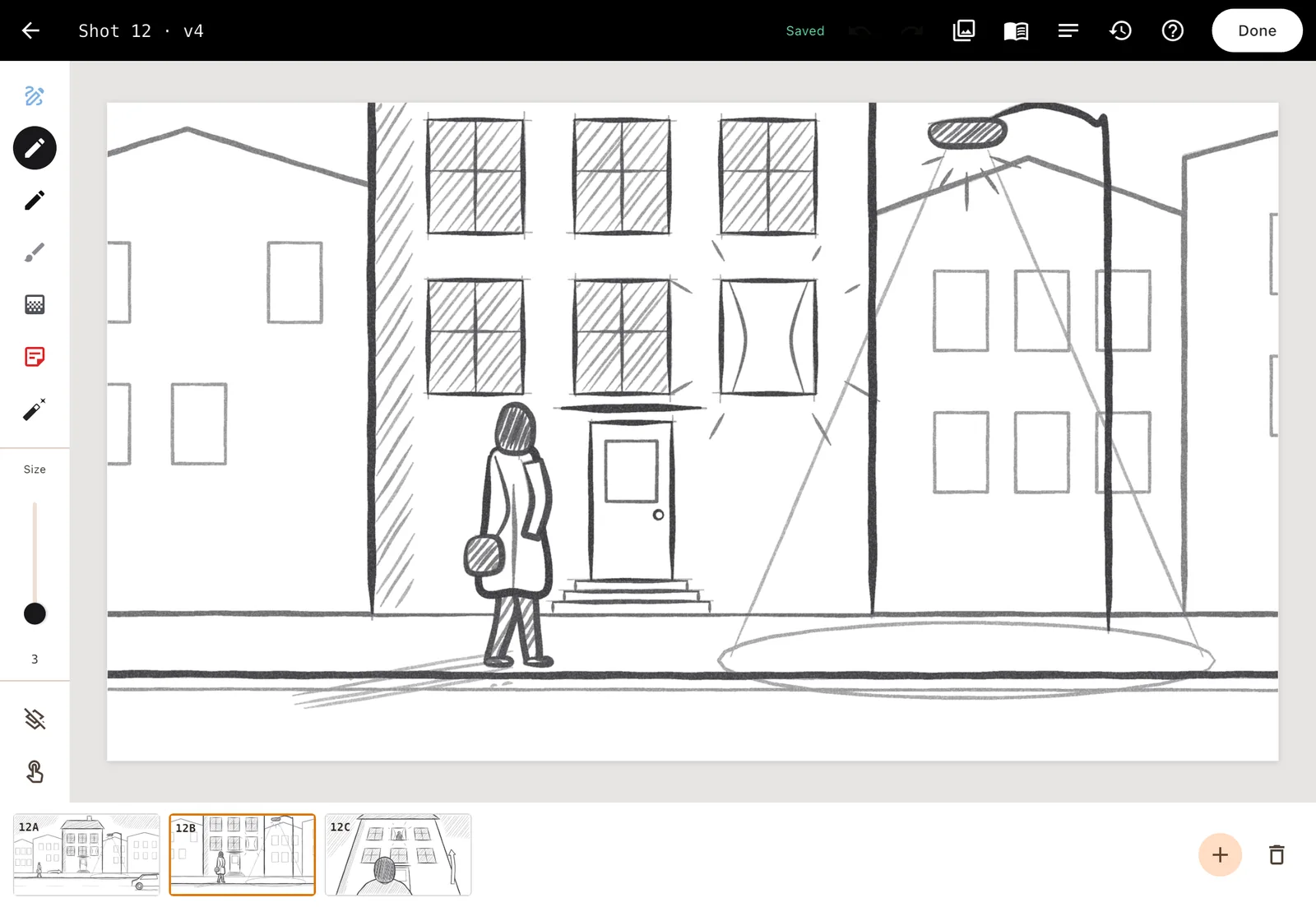
SHOT 12 · v4
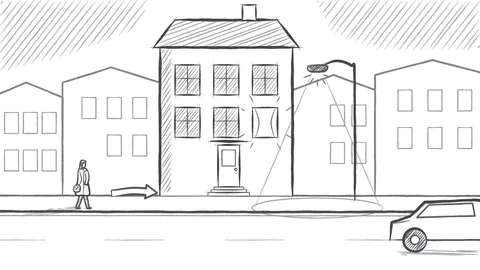
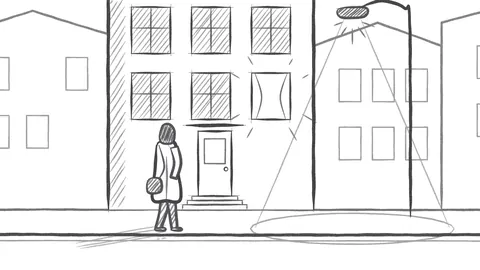
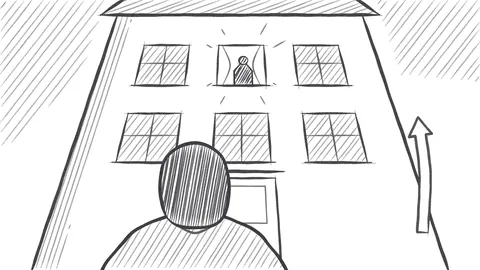
v4 · Saved in Studio · Anna · 2 min ago
v3 · Saved on the web · Simon · yesterday
v2 · Restored from v1 · Simon · Monday
Your story stays yours
You keep all rights
Everything you write and draw belongs to you. We only store and process it to run the service for you and your team.
No AI training on your work
We never use your projects to train AI models, and we never sell or share your content.
Hosted in Germany
Servers, file storage and backups run in data centres in Germany. No advertising cookies; Google Analytics on this website only if you agree, never inside the app.
CUT TO:
Your untitled movie
untitled.movie is in early access and free while we build it with the first teams. Start a project and invite your co-creators.
Create your free account